How it works
The court that calls its own lines.
A RackIT court is a normal court with five cameras up high and a screen at the net for line calling and instant replay. Here's what happens from the moment you arrive.
The six steps
- 01 · Venue
Pick a venue
Open the app and choose a RackIT venue near you. Your account works at every RackIT court.
- 02 · Court
Pick a free court
Choose a free court at the venue and tap Start a game. An 8-digit code appears on that court's screen.
- 03 · Code
Enter the code
Type the code into the app and you're in the lobby for that court. Everyone playing joins with the same code.
- 04 · Position
Pick a starting position
One to four players pick where they start, then the host taps Start Game. Each player pays for their own game, and nothing is charged until it starts. Games a venue starts for you are included by the venue.
- 05 · Play
Play
Your game starts on court. The lines are called and the replay plays on the screen while you play.
- 06 · After
Open the app
Every rally is in the app as a clip, with speed in mph, spin type and intensity, top serve, top return, longest rally and how each rally ended.
On court
Everyone sees the same call.
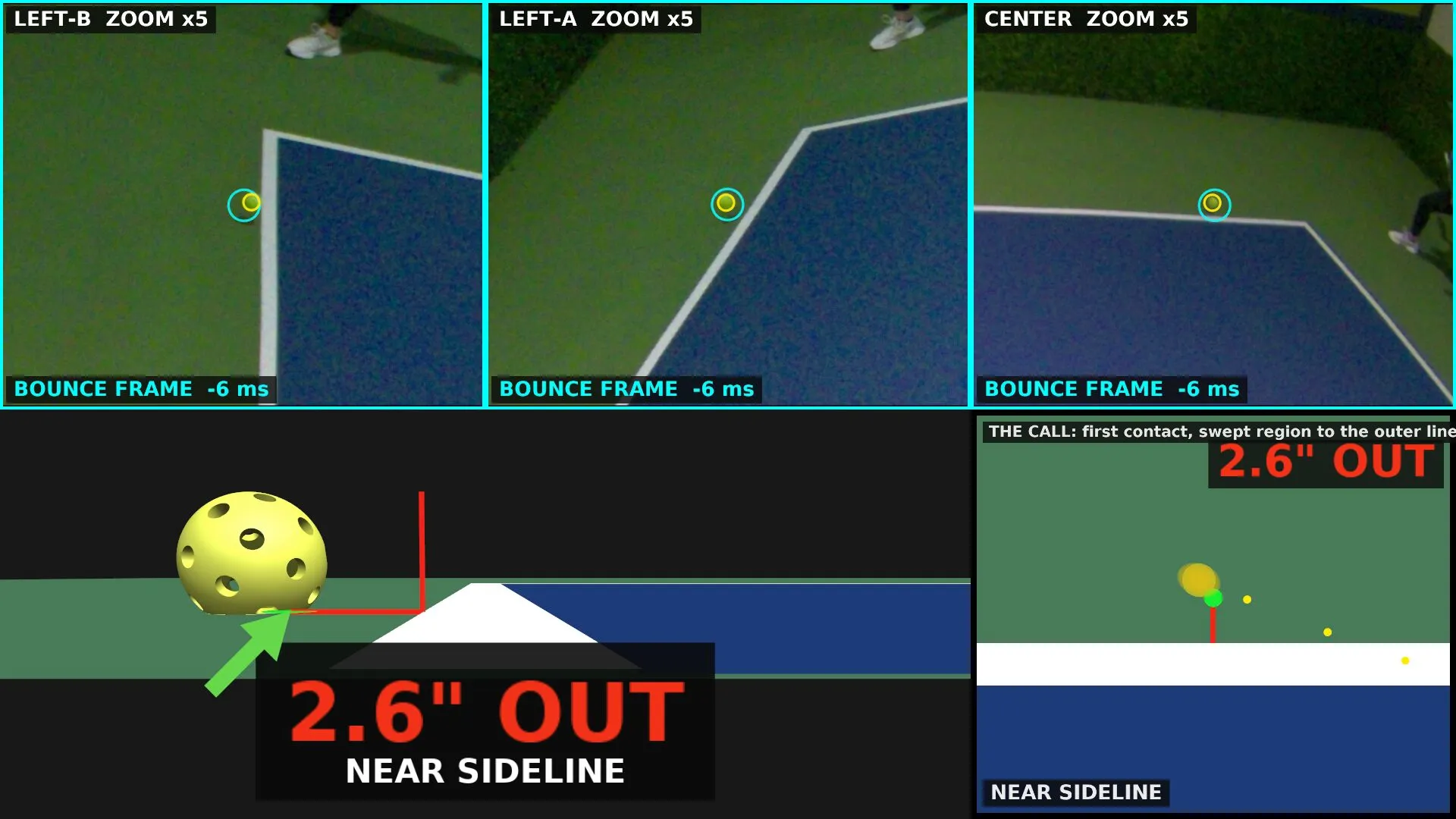
The court screen is a TV at the net, showing the players and the ball in 3D, with serve and shot speed in mph. On a close call it brings up three camera close-ups of the bounce and gives the call with its distance to the line. When a rally ends, you get the replay and how it ended.
Ready when you are.
New players can start a free Courtside Judge trial at a court. No card.
Rather use your browser? Open the web app